
Play Piggy Online
- Game type
- 3D chase and escape horror
- Platform
- Browser game
- Player mode
- Single player
- Modes / play format
- Choose a card, Learn the rules, Escape a pursuer
- Controls
- Keyboard movement · mouse look · follow the How to Play screen
- Categories
- Horror GamesSurvival HorrorHorror Escape
Play the Piggy online game in your browser. Choose a card, learn the room, and escape while the character searches for you.
Updated · Anomalous Coffee Machine 2
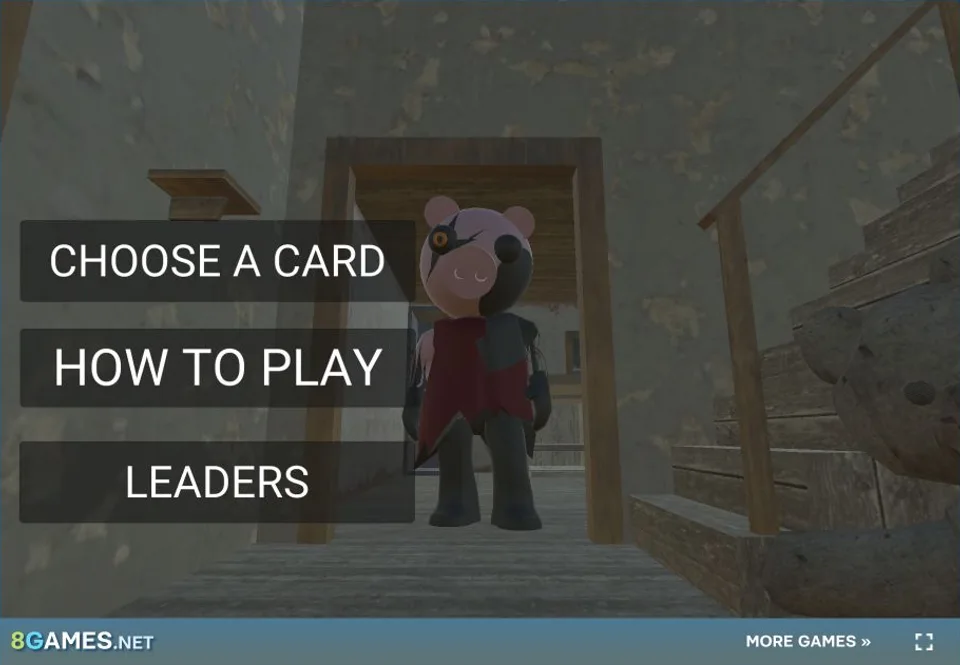
About Piggy
Piggy is a 3D pursuit and escape game in which you choose a card, learn its objective, and search for a way through the level while a character hunts you.
The current browser menu includes CHOOSE A CARD, HOW TO PLAY, and LEADERS. Start with the instructions so that the chosen challenge and key map are clear before entering the chase.
How to play Piggy online
Press Play Now, open HOW TO PLAY, then return to CHOOSE A CARD to select a challenge. Follow the movement, mouse-look, and interaction controls shown on that instruction screen.
Read the selected objective, examine nearby routes, and look for useful items while keeping distance from the pursuer. At a junction, choose a route with room to turn rather than entering a dead end.
Tips for Piggy
Learn how the rooms connect while you still have a safe gap. Note useful item locations and keep a second route in mind so that a search does not leave you cornered.
Granny Horror 3 and Horror Nun 2 also combine object searches with pursuit. Browse Horror Escape Games to compare these with slower puzzle rooms.
- Read How to Play before selecting a card.
- Learn the room before running toward an exit.
- Watch for the pursuer while checking side routes.
Piggy controls
- Use the How to Play option before starting to see the source's key map.
- Use keyboard movement and mouse look as shown by the game.
- Follow any item or objective prompt on screen.
Open How to Play to learn the movement and interaction keys, then select a card to begin the escape challenge.
Piggy questions
Can I play Piggy online in a browser?
Yes. Press Play Now, open How to Play, and choose a card to start your escape run.
How do I start Piggy?
Choose How to Play to read the instructions, then select a card to begin.
What are the controls for Piggy?
Open How to Play from the menu to see the movement and interaction keys for the selected card.
What should I choose on the Piggy menu?
Open How to Play to read the controls, then use Choose a Card to select a challenge. Read the objective shown for that selection before beginning the run.
What helps during a Piggy escape run?
Remember junctions, watch where the pursuer is moving, and keep a route back to a safer area. Examine item and objective prompts while you explore instead of entering every corridor at full speed.
Loading comments…
Leave a comment